
Best Elementor Themes for WordPress in 2026
Choosing the right WordPress theme for your Elementor site is one of the most impactful decisions you can make — and one that most guides get wrong by focusing on visual features rather than what actually matters. The best Elementor themes are not the ones with the most built-in designs or the largest bundle of page templates. They are the ones that load the fewest unnecessary assets, conflict with Elementor the least, and give the builder maximum control over the page output. In short, the best Elementor themes are the ones that get out of Elementor’s way.
This guide covers the 10 best Elementor themes for WordPress in 2026 — ranked by real-world performance, Elementor compatibility, flexibility, and the types of projects each theme is best suited for. Whether you are building a personal blog, a business site, a WooCommerce store, or an agency portfolio, the right theme from this list will give your Elementor builds a faster, cleaner foundation to work from.
Table of Contents
- What Makes a Theme One of the Best Elementor Themes
- 1. Hello Elementor — Best Overall
- 2. Astra — Best for Versatility and Starter Templates
- 3. GeneratePress — Best for Performance-First Builds
- 4. Kadence — Best Free Theme with Premium Features
- 5. OceanWP — Best for WooCommerce Sites
- 6. Neve — Best for Agencies and Freelancers
- 7. Blocksy — Best Modern Design Flexibility
- 8. Storefront — Best Dedicated WooCommerce Theme
- 9. Sydney — Best for Creative and Portfolio Sites
- 10. Hestia — Best Single-Page and Landing Page Theme
- Full Comparison Table: Best Elementor Themes
- Mistakes to Avoid When Choosing Elementor Themes
- Best Elementor Themes Selection Checklist
- Frequently Asked Questions
What Makes a Theme One of the Best Elementor Themes
Before reviewing individual themes, it is worth establishing the criteria that actually determine whether a WordPress theme is one of the best Elementor themes — because the factors that matter most are often the opposite of what beginners expect.
Minimal front-end asset output. The best Elementor themes load as little CSS and JavaScript of their own as possible. Elementor already loads its own stylesheet, JavaScript runtime, and widget-specific assets on every page. A theme that layers its own CSS framework, its own icon library, its own animation engine, and its own Google Fonts selections on top of Elementor’s output is doubling the page’s asset weight for no benefit. The best Elementor themes keep their front-end footprint to a minimum and let Elementor control the visual output of the page.
No conflicting styles. Themes that ship with their own page builder, their own header builder, or their own layout system frequently inject CSS that conflicts with Elementor’s output — producing unexpected spacing, overriding Elementor’s typography settings, or breaking the builder’s responsive controls. The best Elementor themes either have no conflicting styles at all, or provide clean integration with Elementor’s style system.
Full Elementor Pro compatibility. Elementor Pro’s Theme Builder allows you to design custom headers, footers, single post templates, archive pages, and 404 pages using Elementor’s drag-and-drop editor. A theme must be compatible with Elementor Pro’s Theme Builder to take full advantage of this capability. All of the best Elementor themes in this list support full Theme Builder integration.
Fast default load time. Even before Elementor’s own assets are loaded, a bloated theme can add hundreds of kilobytes to each page request. The best Elementor themes load under 30KB of their own CSS and JavaScript — leaving the page weight budget for Elementor, images, and functional third-party scripts.
Active development and WordPress compatibility. A theme that is not actively maintained will eventually become incompatible with new WordPress versions, PHP versions, or Elementor updates. Every theme in this list of best Elementor themes has an active development team maintaining compatibility with the current WordPress and Elementor releases.
| Criteria | Why It Matters for Elementor | Target Benchmark |
|---|---|---|
| Theme CSS size (front-end) | Adds to per-page load weight alongside Elementor CSS | Under 30KB minified |
| Theme JavaScript | Adds execution time and potential conflicts with Elementor JS | Minimal or none on front-end |
| Elementor Pro Theme Builder support | Required for custom headers, footers, post templates | Full support required |
| WooCommerce compatibility | Needed for eCommerce Elementor builds | Native WooCommerce styles included |
| Page speed score (bare install) | Sets the performance baseline before content is added | 90+ on mobile (Google PageSpeed) |
1. Hello Elementor — Best Overall Elementor Theme
Best for: All Elementor builds, especially Elementor Pro users using the Theme Builder
Price: Free
PageSpeed (bare install): 98–100
Hello Elementor is Elementor’s own official WordPress theme and the top pick among the best Elementor themes for a straightforward reason: it was designed from the ground up to do nothing except provide a clean, minimal canvas for Elementor to work on. Hello Elementor loads virtually zero CSS and zero JavaScript of its own on the front end — it is, by design, the most invisible theme available for Elementor.
Why Hello Elementor Is the Top Pick
On a bare Hello Elementor installation — before any content is added — Google PageSpeed Insights returns a mobile score of 98–100. This score represents the best possible performance baseline for an Elementor site because the theme contributes almost no overhead. Everything above that baseline score is accounted for by Elementor’s own assets, your content, and your third-party plugins.
With Elementor Pro’s Theme Builder, Hello Elementor is the ideal companion. Because Hello Elementor has no built-in header, footer, sidebar, or layout features of its own, it defers 100% of the visual output to Elementor’s Theme Builder templates. There are no conflicting header styles to override, no footer widget areas to disable, and no theme typography settings to fight. You build the entire site — header, footer, page templates, blog archives — inside the Elementor editor with zero interference from the theme layer.
Limitations of Hello Elementor
Hello Elementor’s extreme minimalism is a strength for experienced Elementor Pro users and a potential friction point for beginners. Without Elementor Pro’s Theme Builder, Hello Elementor provides no header, no footer, and no default styling — the page is truly a blank canvas that requires Elementor Pro to build a complete website. Free Elementor users who need a functioning header and footer without Theme Builder should consider Astra, GeneratePress, or Kadence instead.
Download: Hello Elementor on WordPress.org
2. Astra — Best for Versatility and Starter Templates
Best for: Agencies, freelancers, and users who want a large starter template library
Price: Free core theme; Astra Pro from $47/year
PageSpeed (bare install): 95–99
Astra is consistently one of the most popular picks among the best Elementor themes, and for good reason. It combines a genuinely lightweight core (under 50KB total page weight on a bare install) with an enormous library of professionally designed starter templates that import directly into Elementor, the largest community of users of any third-party Elementor-compatible theme, and a well-maintained Pro version that adds header/footer builder capabilities, custom layouts, and WooCommerce customization.
Astra’s Starter Template Library
Astra’s starter templates — available through the Starter Templates plugin — are one of the defining advantages that make Astra one of the best Elementor themes for agencies and freelancers. The library includes hundreds of complete multi-page website templates across dozens of industries, all designed to work with Elementor’s editor. Importing a starter template gives you a complete, fully designed website skeleton — home page, about page, services page, contact page, blog layout — that you can customize with your own content, images, and brand colors in the Elementor editor.
Astra Pro Features
Astra Pro extends the free theme with a header and footer builder (separate from Elementor’s Theme Builder), custom layouts for individual pages and post types, advanced WooCommerce styling controls, and typography customization. For users who want more design control from the theme layer without relying entirely on Elementor Pro’s Theme Builder, Astra Pro provides a middle ground that makes it one of the most flexible among the best Elementor themes.
Astra Performance
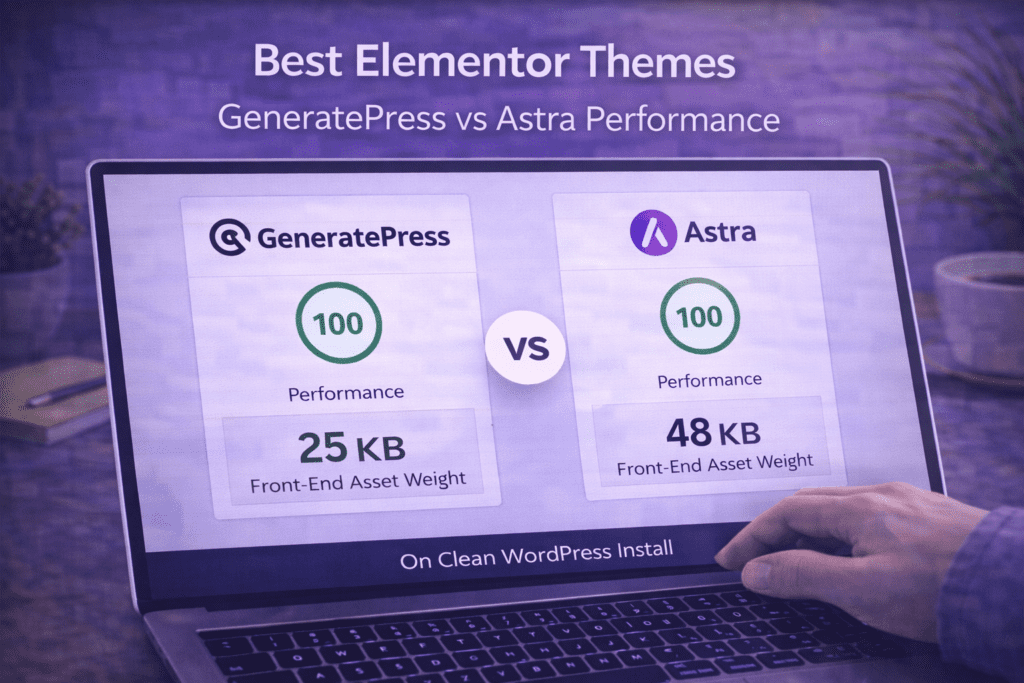
Astra loads under 50KB on a bare install and achieves PageSpeed scores of 95–99 on mobile before any Elementor content is added. Astra is built without jQuery dependency on the front end — a performance decision that reduces JavaScript execution overhead compared to older themes. This performance foundation makes Astra one of the best Elementor themes for projects where speed is a priority alongside design flexibility.
Download: Astra on WordPress.org
3. GeneratePress — Best for Performance-First Builds
Best for: Developers, performance-focused builds, and sites where PageSpeed score is critical
Price: Free core theme; GeneratePress Premium from $59/year
PageSpeed (bare install): 97–100
GeneratePress is the theme of choice among WordPress developers and performance-focused builders, and it is arguably the technically cleanest option among the best Elementor themes outside of Hello Elementor itself. The free GeneratePress theme ships at under 10KB of CSS and zero front-end JavaScript — a level of minimalism that even Hello Elementor does not quite match in terms of total theme file size.
Why Developers Choose GeneratePress
GeneratePress is built around WordPress hooks and filters, making it one of the most developer-friendly themes in the list of best Elementor themes. Every element of the theme — the header, the navigation, the sidebar, the footer, the post layout — can be controlled programmatically through WordPress hooks without touching template files. For developers who build Elementor sites alongside custom PHP development, this architecture is significantly cleaner to work with than themes that hard-code layout decisions into template files.
The free version of GeneratePress provides a complete, functional WordPress theme with a clean header, navigation, and footer. GeneratePress Premium adds a Site Library of pre-built website templates (including Elementor-compatible designs), a block-based site builder, more granular header and layout controls, and WooCommerce compatibility modules. For Elementor users, GeneratePress Premium’s template library is smaller than Astra’s but higher in design quality and technical cleanliness.
GeneratePress and Elementor Pro Compatibility
GeneratePress is fully compatible with Elementor Pro’s Theme Builder. When Theme Builder templates are active for a specific page, GeneratePress respects those templates completely — its own header and footer are overridden by Elementor’s Theme Builder output without conflict. This makes GeneratePress one of the best Elementor themes for builds that use Elementor Pro for full-site editing.
Download: GeneratePress on WordPress.org
4. Kadence — Best Free Theme with Premium Features
Best for: Users who want premium-level features in a free theme
Price: Free core theme; Kadence Pro from $79/year
PageSpeed (bare install): 94–98
Kadence has emerged as one of the standout picks among the best Elementor themes in recent years, offering an unusually generous free tier that includes a header builder, footer builder, and global color and typography controls — features that most themes gate behind a paid upgrade. The result is a theme that functions at a premium level without requiring immediate payment, making Kadence particularly valuable for Elementor users who want design control at the theme level without adding Astra Pro or GeneratePress Premium to their budget.
Kadence’s Free Tier Features
The free Kadence theme includes: a full header builder with drag-and-drop row and element arrangement (logo, navigation, button, search, mobile menu), a footer builder with similar flexibility, global color palette controls, global typography controls for headings and body text, a transparent header option, and sticky header support. These are capabilities that Astra and GeneratePress gate behind their Pro upgrades — Kadence includes them in the free version.
For Elementor users, Kadence’s built-in header and footer builders provide a practical option for users who are on Elementor Free (without Theme Builder access) but still want header and footer flexibility beyond the defaults. This makes Kadence one of the most practical among the best Elementor themes for users who have not yet invested in Elementor Pro.
Kadence Pro and Kadence Blocks
Kadence Pro adds advanced header and footer options, conditional header layouts, more extensive WooCommerce controls, and custom font upload capabilities. The Kadence ecosystem also includes Kadence Blocks — a Gutenberg block library — which is separate from its Elementor compatibility but worth noting for teams that use both editors. Kadence’s active development and expanding ecosystem have established it firmly among the best Elementor themes for 2026.
Download: Kadence on WordPress.org
5. OceanWP — Best for WooCommerce Elementor Sites
Best for: WooCommerce stores built with Elementor
Price: Free core theme; OceanWP extensions from $43/year
PageSpeed (bare install): 88–94
OceanWP is one of the most WooCommerce-optimized options among the best Elementor themes, with deep WooCommerce styling built into its core, extensive cart and checkout customization, and a mini cart feature in the header that works seamlessly alongside Elementor-built page layouts. For Elementor users building online stores, OceanWP combines WooCommerce-first design decisions with solid Elementor compatibility.
OceanWP WooCommerce Features
OceanWP’s WooCommerce integration includes: a sticky add-to-cart bar that appears as users scroll past the product’s buy button, a product quick-view popup, an off-canvas cart sidebar, built-in product search with AJAX live results, and WooCommerce-specific customizer controls for product grid columns, sale badge styling, and checkout page layout. These WooCommerce-specific features are built into the theme at no additional cost and work well alongside Elementor Pro’s WooCommerce Builder widgets.
OceanWP Extensions
OceanWP’s premium extensions add capabilities like an off-canvas sidebar, sticky header, custom Elementor widgets, a mega menu builder, white-label options, and a modal popup builder. The extensions are sold as a bundle rather than a single Pro upgrade. For Elementor users building WooCommerce stores, OceanWP’s WooCommerce focus and reasonable extension pricing make it one of the best Elementor themes specifically for eCommerce projects.
OceanWP Performance Note
OceanWP’s bare install PageSpeed is slightly lower than Hello Elementor, Astra, and GeneratePress due to a somewhat larger default stylesheet. Ensuring you disable OceanWP features you are not using (via Appearance → Customize → General Options → Scripts & Styles) is recommended to keep performance competitive with the other best Elementor themes on this list.
Download: OceanWP on WordPress.org
6. Neve — Best for Agencies and Freelancers
Best for: Agencies building multiple client sites with varied design requirements
Price: Free core theme; Neve Pro from $69/year
PageSpeed (bare install): 93–97
Neve is developed by Themeisle and is among the best Elementor themes for web professionals who need a theme that accommodates diverse project types without requiring a different solution for each site category. Neve’s free tier is solid, its Pro tier is reasonably priced, and its Starter Sites library (available via the Otter Blocks or Starter Sites plugin) provides a wide range of industry-specific templates that import directly into Elementor.
Neve’s Elementor Compatibility
Neve is built with explicit Elementor compatibility as a core design goal. The theme includes dedicated Elementor-specific customizer controls, full compatibility with Elementor Pro’s Theme Builder, and a custom header and footer builder in Neve Pro that works alongside Elementor’s Template Builder when both are active. Neve is one of the few best Elementor themes that explicitly documents Elementor integration in its development roadmap and changelog.
Neve Pro Features
Neve Pro adds: a fully flexible header builder with custom element placement, a footer builder, transparent header and sticky header support, scroll-to-top button customization, advanced blog layout controls (including grid, list, and cover layouts), WooCommerce booster features (off-canvas cart, product quick view, advanced product catalog controls), and white-label capabilities for agency deployments. For agencies managing client sites where white-labeling is important, Neve Pro’s white-label support makes it a particularly practical option among the best Elementor themes.
Download: Neve on WordPress.org

7. Blocksy — Best for Modern Design Flexibility
Best for: Designers who want granular design control at the theme level alongside Elementor
Price: Free core theme; Blocksy Pro from $49/year
PageSpeed (bare install): 92–97
Blocksy is a newer entrant among the best Elementor themes but has earned a strong reputation for its unusually deep design customization options available in the free tier, its modern codebase built without jQuery dependency, and its excellent documentation. Blocksy’s Customizer controls are among the most granular available in any free WordPress theme — offering per-element control over colors, typography, spacing, and visibility for nearly every theme element.
Blocksy’s Design System
Where most themes offer broad global color and typography controls, Blocksy provides individual controls for the header, each navigation level, the hero section, the page title area, the content area, the sidebar, the footer, and the blog layout — each with their own color palette, typography, and spacing options. This level of customization at the theme level is unusual among the best Elementor themes and gives designers precise control over the non-Elementor elements of a page (header, footer, sidebar) without needing to write custom CSS.
Blocksy and Elementor Integration
Blocksy is fully compatible with Elementor Pro’s Theme Builder. Like GeneratePress and Hello Elementor, when Elementor Pro Theme Builder templates are active for a page, Blocksy hands over rendering control to those templates cleanly. Blocksy also includes native integration hooks for Elementor’s custom breakpoints feature — the theme’s responsive controls update in sync with Elementor’s responsive settings, avoiding the breakpoint mismatches that occur with less well-integrated themes. This technical integration quality is part of what places Blocksy among the best Elementor themes for design-focused builds.
Download: Blocksy on WordPress.org
8. Storefront — Best Dedicated WooCommerce Elementor Theme
Best for: WooCommerce stores where deep native WooCommerce integration is the priority
Price: Free
PageSpeed (bare install): 88–93
Storefront is the official WooCommerce theme developed by Automattic — the company behind WooCommerce itself. It is the most natively compatible WordPress theme with WooCommerce and, for Elementor users building stores where WooCommerce integration depth matters more than design flexibility, it belongs among the best Elementor themes for eCommerce.
Why Storefront Works for Elementor WooCommerce Builds
Storefront’s greatest strength is that it is always the first WooCommerce-compatible theme to receive updates when WooCommerce releases new features, template changes, or checkout updates. Because it is maintained by Automattic alongside WooCommerce itself, template compatibility issues that affect other themes are typically resolved in Storefront before third-party themes receive equivalent updates.
For Elementor users building WooCommerce stores, the practical workflow is: use Storefront as the active theme (for its native WooCommerce template compatibility and product page styling), and use Elementor Pro’s WooCommerce Builder widgets to customize the visual design of individual product pages, the cart, and the checkout. Storefront handles the WooCommerce structural templates; Elementor handles the design customization on top. This layered approach makes Storefront one of the most reliable among the best Elementor themes for production WooCommerce stores.
Storefront Design Limitations
Storefront’s default design is plain by modern standards, and its Customizer controls are minimal compared to Astra, Kadence, or Blocksy. For designers who want visual control at the theme level, Storefront requires more CSS customization or Elementor Pro Theme Builder intervention than the other best Elementor themes on this list. For developers who prioritize WooCommerce stability over design flexibility, this trade-off is acceptable.
Download: Storefront on WordPress.org
9. Sydney — Best for Creative and Portfolio Sites
Best for: Creative professionals, agencies, and portfolio sites using Elementor
Price: Free core theme; Sydney Pro from $69/year
PageSpeed (bare install): 88–93
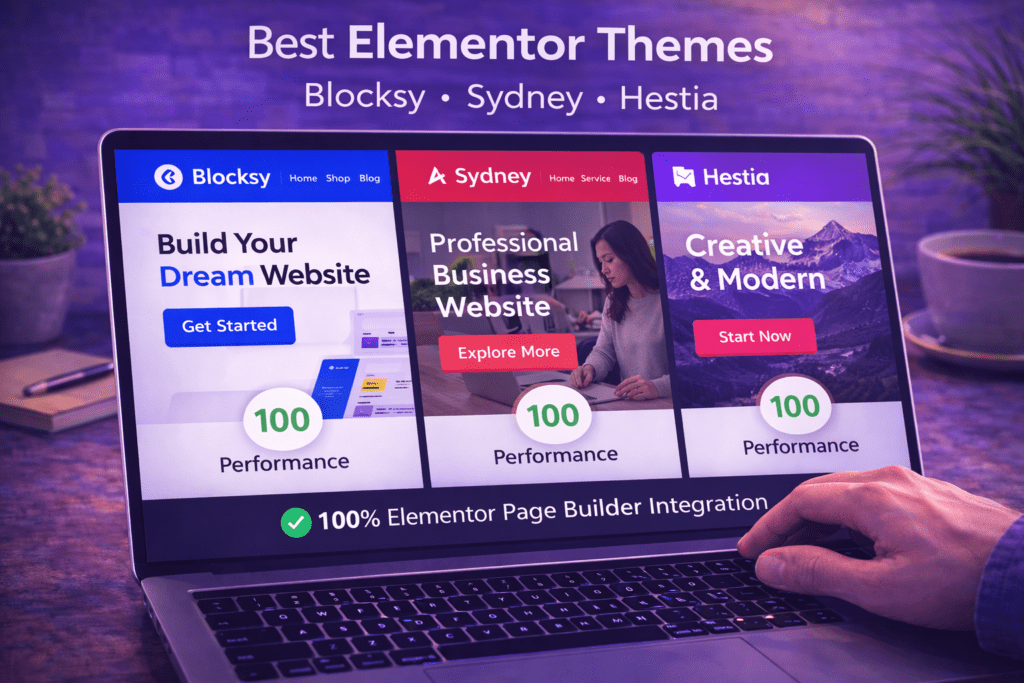
Sydney is developed by aThemes and occupies a specific niche among the best Elementor themes — it is one of the few lightweight, Elementor-compatible themes designed with creative professionals and agency portfolios specifically in mind. Sydney’s default design language uses bold typography, large image areas, and high-contrast color combinations that work particularly well as a foundation for Elementor-built portfolio pages and agency sites.
Sydney’s Design Foundation
Sydney ships with a set of demo designs that import directly into Elementor, with layouts suited to creative agencies, photography portfolios, consultants, and professional services firms. The theme’s default typographic choices — bold headings, clean body text, generous white space — complement Elementor’s design tools better than generalist themes whose default styles require more overriding.
Sydney Pro adds extended header and footer options, additional widget areas, custom page title styles, and WooCommerce compatibility features. For creative agencies looking for the best Elementor themes with a design-forward starting point, Sydney offers a more opinionated aesthetic than Hello Elementor or GeneratePress while remaining light enough not to significantly burden performance.
Download: Sydney on WordPress.org
10. Hestia — Best for Single-Page and Landing Page Builds
Best for: Single-page business sites, landing pages, and startup websites built with Elementor
Price: Free core theme; Hestia Pro from $69/year
PageSpeed (bare install): 87–93
Hestia rounds out the list of best Elementor themes as the top pick for single-page website and landing page builds. Developed by Themeisle (the same team behind Neve), Hestia uses a Material Design-inspired aesthetic with large hero sections, clean typography, and full-width section layouts that pair naturally with Elementor’s Container-based page building approach.
Hestia for Elementor Landing Pages
Hestia’s single-page architecture — where the default homepage template is a continuously scrolling single page divided into named sections — aligns particularly well with the way Elementor landing pages are structured. The theme’s built-in section structure (hero, features, team, testimonials, contact) mirrors the conversion-optimized landing page structure common to Elementor landing page builds, making it a natural starting framework for single-page business sites.
Hestia is fully compatible with Elementor Pro’s Theme Builder and works well with Elementor Free for users who want a theme that provides its own sensible structural defaults. For users building startup homepages, local business one-pagers, or professional landing pages with Elementor, Hestia is one of the most purpose-appropriate options among the best Elementor themes.
Download: Hestia on WordPress.org
Full Comparison Table: Best Elementor Themes
| Theme | Price | PageSpeed (bare) | Theme Builder Support | WooCommerce | Best For |
|---|---|---|---|---|---|
| Hello Elementor | Free | 98–100 | Full (designed for it) | Basic | All Elementor Pro builds |
| Astra | Free / Pro $47/yr | 95–99 | Full | Excellent | Agencies, starter templates |
| GeneratePress | Free / Pro $59/yr | 97–100 | Full | Good | Performance-first, developers |
| Kadence | Free / Pro $79/yr | 94–98 | Full | Good | Free users wanting premium features |
| OceanWP | Free / Extensions $43/yr | 88–94 | Full | Excellent | WooCommerce Elementor stores |
| Neve | Free / Pro $69/yr | 93–97 | Full | Good | Agencies, white-label client sites |
| Blocksy | Free / Pro $49/yr | 92–97 | Full | Good | Design-focused builds |
| Storefront | Free | 88–93 | Full | Native / Best-in-class | WooCommerce stability priority |
| Sydney | Free / Pro $69/yr | 88–93 | Full | Basic | Creative and portfolio sites |
| Hestia | Free / Pro $69/yr | 87–93 | Full | Basic | Single-page and landing pages |
The single most impactful theme-related decision for any Elementor project is not which of the best Elementor themes has the most features — it is choosing a theme with the lightest possible front-end footprint. Every kilobyte of CSS and JavaScript a theme loads is a kilobyte that competes with Elementor’s own assets for bandwidth and render time. The best Elementor themes are the ones that add the least overhead, not the most features.
Mistakes to Avoid When Choosing Elementor Themes
These are the most common errors WordPress users make when selecting a theme for Elementor — and the corrections that prevent them from undermining their site’s performance and flexibility.
1. Choosing a theme that includes its own page builder. Some popular WordPress themes — including many sold on ThemeForest — are bundled with their own page builder plugin (Visual Composer, WPBakery, King Composer). Installing these themes alongside Elementor results in two competing page builders loading their assets simultaneously, doubling the JavaScript overhead and frequently producing style conflicts. None of the best Elementor themes in this list come bundled with a competing page builder.
2. Using a multipurpose theme with too many built-in features. Multipurpose themes marketed as “all-in-one” solutions — Revolution Slider included, Mega Menu built in, 20 custom widgets, 5 custom post types — load all of those features’ assets on every page, regardless of whether those features are used. On an Elementor site where the page builder handles most of the visual output, these bundled features add overhead without providing value. The best Elementor themes provide clean, minimal bases — not feature bundles.
3. Not checking Theme Builder compatibility before purchasing. Elementor Pro’s Theme Builder is one of its most powerful features, enabling custom headers, footers, and post templates. A theme that does not fully support Theme Builder — either because it hard-codes its own header/footer or because it injects CSS that overrides Theme Builder output — prevents you from using this capability. Always verify Theme Builder compatibility before committing to a theme for an Elementor Pro project.
4. Choosing a theme based on visual demo design rather than code quality. The demo that looks best in a screenshot is not necessarily the best Elementor theme for your project. Demo designs show what a designer built with the theme; they do not reveal the theme’s CSS weight, JavaScript dependencies, or Elementor conflict potential. Check the theme’s front-end asset size and PageSpeed score on a bare install before selecting it — not after seeing its demo designs.
5. Using a theme that loads Google Fonts globally. Many themes load their chosen Google Fonts on every page as part of their default typography settings — even when Elementor’s Global Fonts are configured separately. This results in duplicate font loading: the theme loads one set of fonts, Elementor loads another. The best Elementor themes either have no default Google Fonts (Hello Elementor, GeneratePress free tier), or allow Google Fonts to be fully disabled via the Customizer so Elementor’s Global Fonts settings are the only source of font loading.
6. Not testing the theme on mobile before committing. Theme-level CSS affects mobile layout as well as desktop layout. A theme’s mobile header behavior, mobile navigation menu, and mobile typography defaults interact with Elementor’s responsive controls in ways that can produce unexpected results. Before committing to any theme on the best Elementor themes list, test a page built with Elementor on mobile across multiple breakpoints to confirm there are no conflicts with the theme’s mobile CSS.
7. Switching themes mid-project without understanding the implications. Switching the active WordPress theme on a live Elementor site can affect the appearance of pages built with Elementor because theme-level CSS (body font, link colors, heading defaults) contributes to the rendered output even on Elementor-built pages. Switching themes mid-project typically requires a review of every Elementor-built page for styling regressions. Choose from the best Elementor themes at the start of a project, not partway through.
Best Elementor Themes Selection Checklist
- ☐ Theme front-end CSS is under 30KB (check with GTmetrix or browser DevTools)
- ☐ Theme loads no front-end JavaScript (or minimal JS with no jQuery dependency)
- ☐ Theme is confirmed compatible with Elementor Pro’s Theme Builder
- ☐ Theme does not bundle a competing page builder plugin
- ☐ Theme has no built-in Google Fonts that conflict with Elementor’s Global Fonts
- ☐ Bare install PageSpeed score is 90+ on mobile before adding Elementor content
- ☐ Theme is actively maintained with recent updates in the WordPress theme repository
- ☐ WooCommerce compatibility confirmed if building an eCommerce site
- ☐ Theme Builder compatibility tested on a staging site before production use
- ☐ Mobile layout reviewed with a test Elementor page before committing to the theme
- ☐ Theme selected from the best Elementor themes list based on project type match, not demo aesthetics
Frequently Asked Questions About the Best Elementor Themes
What is the best theme for Elementor?
Hello Elementor is the best theme for Elementor overall — it is Elementor’s own official theme, built to load virtually no front-end assets of its own and defer 100% of the visual output to Elementor’s editor and Theme Builder. For users on Elementor Free who need a functioning header and footer without the Theme Builder, Astra and Kadence are the strongest alternatives among the best Elementor themes — both are lightweight, fully compatible, and have free tiers that provide significant design control without requiring a Pro upgrade.
Do I need to pay for a theme to use Elementor?
No — all of the top picks among the best Elementor themes in this list are available in free versions: Hello Elementor, Astra, GeneratePress, Kadence, OceanWP, Neve, Blocksy, Storefront, Sydney, and Hestia all have permanent free tiers available on WordPress.org. The free versions of Hello Elementor, Astra, GeneratePress, and Kadence are capable of supporting a complete professional Elementor website without a paid upgrade. Pro versions of each theme add additional design control, more template access, and premium support — but the free core themes are fully functional starting points.
Can I use any WordPress theme with Elementor?
Technically yes — Elementor works with any WordPress theme that follows standard WordPress development practices. However, not all themes are equally suited for use with Elementor. Themes that load heavy CSS frameworks, bundle competing page builders, inject conflicting styles, or load excessive JavaScript alongside Elementor’s own assets will produce slower page speeds and potential editor conflicts. The themes on the best Elementor themes list are specifically evaluated and recommended because they avoid these problems and work cleanly with Elementor’s editor and Theme Builder.
Do I need Elementor Pro to use these themes?
No — all of the best Elementor themes in this list work with Elementor Free. Elementor Pro is required only for Elementor Pro-specific features: the Theme Builder (for custom headers, footers, and post templates), the Form widget, the Popup Builder, and Pro-exclusive widgets. The themes themselves — Hello Elementor, Astra, GeneratePress, Kadence, and the others — work with both Elementor Free and Elementor Pro. If you are using Elementor Free, themes like Kadence and Astra are particularly valuable because their own built-in header and footer builders reduce your dependency on Elementor Pro’s Theme Builder.
Is Hello Elementor good for beginners?
Hello Elementor is the best theme for Elementor in terms of performance and technical cleanliness, but it is not the most beginner-friendly choice for users on Elementor Free. Because Hello Elementor has no built-in header, footer, or default styling, users on Elementor Free will see a very plain site — a header that shows just the site name and navigation, and a footer with minimal styling. For beginners using Elementor Free, Astra or Kadence are more practical starting points among the best Elementor themes because their free tiers provide functioning, well-styled headers and footers without requiring Theme Builder access.
Which Elementor theme is best for WooCommerce?
For WooCommerce sites built with Elementor, OceanWP and Astra Pro are the strongest choices among the best Elementor themes. OceanWP provides the most WooCommerce-specific theme features in its core (sticky add-to-cart bar, off-canvas cart, product quick view) and works well alongside Elementor Pro’s WooCommerce Builder. Astra Pro’s WooCommerce module provides comparable eCommerce customization capabilities with a cleaner performance profile. Storefront is the best choice when WooCommerce template compatibility and long-term stability are the priority over visual design flexibility.
How do I change my Elementor theme without breaking my site?
Switching WordPress themes on an active Elementor site is generally safe for page content built within the Elementor editor, since Elementor stores page layout data independently of the theme. However, theme-level CSS (headings, body fonts, link colors, spacing defaults) affects how Elementor-built pages render, so a theme switch will typically require reviewing each key page for styling regressions. Before switching to one of the best Elementor themes on a live site, test the new theme on a staging environment, review all key pages in Elementor’s editor and in the front-end preview, and address any visual regressions before pushing the theme change to production.
More Elementor Resources and Guides
- Elementor vs Divi: Which Builder Wins?
- Elementor vs Gutenberg: Which Builder Is Better in 2026?
- Elementor Free vs Pro: Is Pro Worth It?
- Best Elementor Addons Plugins in 2026
- How to Speed Up Elementor Websites
- How to Fix Elementor Not Loading
- Elementor Header Footer Builder Guide
- Elementor SEO Optimization Guide
