
Elementor vs Divi: Which Builder Wins in 2026?
The Elementor vs Divi debate is one of the longest-running discussions in the WordPress page builder space — and for good reason. Both are mature, full-featured visual builders with massive user bases, strong plugin ecosystems, and loyal communities. If you are choosing a page builder for a new WordPress project in 2026, the Elementor vs Divi comparison is almost certainly one of the first decisions you face.
The challenge with the Elementor vs Divi comparison is that both tools are genuinely capable of building professional WordPress websites. There is no universally correct answer. The right choice depends on your specific priorities: how you prefer to pay, how you design, whether performance is your top concern, what kind of sites you build most, and how important long-term flexibility is to your workflow. This guide cuts through the marketing claims from both sides and compares Elementor vs Divi on the factors that actually determine which builder serves you better.
This Elementor vs Divi comparison covers pricing models, the editing experience, performance and page speed, template libraries, WooCommerce and eCommerce capabilities, third-party ecosystem support, and the learning curve for new users. By the end, you will have a clear, evidence-based answer to the Elementor vs Divi question for your specific situation.
Table of Contents
- Elementor vs Divi: Quick Overview
- Section 1: Elementor vs Divi Pricing Compared
- Section 2: The Editing Experience — Elementor vs Divi Interface
- Section 3: Performance and Page Speed
- Section 4: Template Libraries and Design Assets
- Section 5: Features and Widget Comparison
- Section 6: WooCommerce and eCommerce Support
- Section 7: Third-Party Ecosystem and Add-On Plugins
- Section 8: Learning Curve and Ease of Use
- Section 9: Support, Community, and Long-Term Reliability
- Elementor vs Divi: Final Verdict and Recommendations
- Common Mistakes When Choosing Between Elementor and Divi
- Elementor vs Divi Decision Checklist
- Frequently Asked Questions
Elementor vs Divi: Quick Overview
Before diving into the detailed comparison, here is a high-level overview of where each builder stands in the Elementor vs Divi debate in 2026.
Elementor was launched in 2016 and quickly became the most installed page builder plugin in the WordPress ecosystem. It offers a free version (Elementor Free) and a paid tier (Elementor Pro) that unlocks the full feature set. Elementor uses a front-end drag-and-drop editor where changes appear in real time on the live page. It is known for its polished UI, extensive widget library, and massive third-party add-on ecosystem.
Divi is developed by Elegant Themes and has been a major player in the WordPress builder space since 2013. Divi is available only as a paid product — there is no permanent free version — through Elegant Themes’ subscription or lifetime pricing model. Divi includes its own theme (the Divi Theme) as well as a plugin version (Divi Builder) that works with other themes. It uses an inline front-end editor and is known for its generous lifetime pricing, its A/B testing module, and a design-focused community.
| Factor | Elementor | Divi |
|---|---|---|
| Free version available | Yes (Elementor Free) | No |
| Pricing model | Annual subscription (per site tiers) | Annual or lifetime subscription (unlimited sites) |
| Editor type | Front-end drag-and-drop (sidebar panel) | Front-end inline drag-and-drop |
| Theme required | Works with any theme; Hello Elementor recommended | Includes Divi Theme; plugin version works with others |
| Active installs | 10M+ (most installed builder) | Estimated 1M+ (not publicly disclosed) |
| Third-party add-ons | Very large ecosystem | Moderate ecosystem |
| Built-in A/B testing | No (requires third-party) | Yes (Divi Leads) |
| AI features (2026) | Yes (Elementor AI) | Yes (Divi AI) |
Section 1: Elementor vs Divi Pricing Compared
Pricing is often the first deciding factor in the Elementor vs Divi comparison — and the two builders use fundamentally different business models that suit different types of users.
Elementor Pricing
Elementor operates on a freemium model. Elementor Free is permanently free and available on the WordPress plugin repository — it includes the core drag-and-drop editor, basic widgets, and limited template access. Elementor Pro is the paid tier, priced on a per-website basis with annual subscriptions.
In 2026, Elementor Pro pricing is structured across multiple tiers based on the number of active websites. Entry-level plans cover one to three websites, while higher tiers cover five, ten, twenty-five, or more. The Essential plan (single website) is the lowest entry point for Pro features. Agency and unlimited-site plans are available at higher price points for web professionals managing many client sites.
The freemium model is one of Elementor’s strongest advantages in the Elementor vs Divi comparison for users who want to try before committing: you can build a complete site with the free version and only upgrade when you need the Pro-exclusive features (Form widget, Theme Builder, Popup Builder, Pro widget library).
Divi Pricing
Divi requires a paid Elegant Themes subscription for all use. There is a free trial available (Elegant Themes offers a 30-day money-back guarantee), but there is no permanently free tier equivalent to Elementor Free. Elegant Themes offers two pricing options:
Annual subscription — A lower annual cost that provides access to Divi plus all other Elegant Themes products (including the Extra theme and Bloom email optin plugin) for unlimited websites. Renews annually.
Lifetime access — A one-time payment that provides permanent access to Divi and all Elegant Themes products for unlimited websites with no renewal cost. This lifetime option is available directly from the Elegant Themes Divi page and is one of Divi’s most compelling advantages in the Elementor vs Divi pricing comparison for users who plan to build many sites over several years — the per-site cost approaches zero once the lifetime fee is amortized across a large portfolio.
Pricing Verdict: Elementor vs Divi
For a single website or small portfolio, Elementor’s free tier and low-cost Pro entry point make it cheaper in the short term. For web professionals and agencies building many client websites over multiple years, Divi’s lifetime pricing model produces a lower long-term cost per site. For users who want to start completely free, Elementor wins — Divi has no free tier.
| Scenario | Better Value | Reason |
|---|---|---|
| Single personal website | Elementor Free | Free forever, no subscription needed |
| 1–3 client sites per year | Elementor Pro (entry tier) | Lower annual cost than Divi subscription |
| 10+ sites over 5+ years | Divi Lifetime | One-time fee, unlimited sites, no renewals |
| Agency with 20+ active sites | Divi Lifetime or Elementor Agency | Depends on per-site vs. unlimited model preference |
Section 2: The Editing Experience — Elementor vs Divi Interface
The day-to-day editing experience is where the Elementor vs Divi difference is most immediately felt. Both are visual, front-end drag-and-drop builders — but they approach the editing interface in meaningfully different ways.
Elementor’s Editor
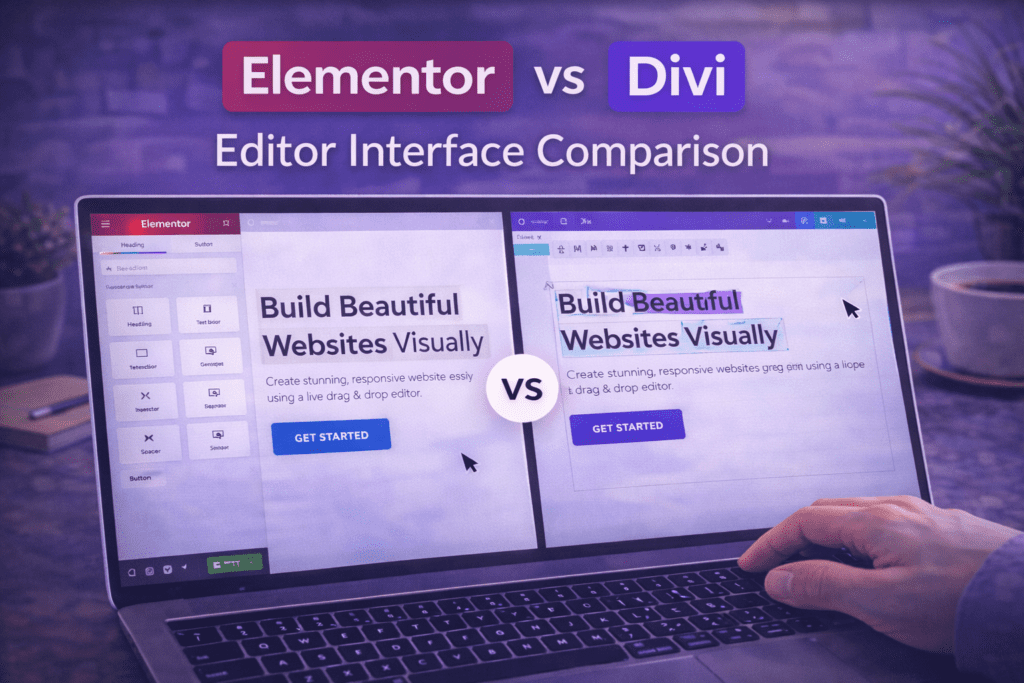
Elementor uses a two-panel editor: a left sidebar containing the widget library and settings panel, and a live canvas on the right showing the page as it will appear. To add an element, you drag a widget from the left panel onto the canvas, or click the “+” icon within a container to open an inline widget selector.
Elementor’s interface is widely considered one of the cleanest and most intuitive in the Elementor vs Divi comparison. The left panel organizes all widget settings — content, style, and advanced options — across three clearly labelled tabs. Changes render immediately on the canvas as you adjust settings. The structure panel (Elementor’s layer-style layout tree) gives you a bird’s-eye view of your entire page structure and allows drag-to-reorder at any nesting level.
Elementor’s layout model has evolved from the legacy Section → Column → Widget structure to the newer Container (Flexbox) model, which produces cleaner HTML, gives more layout flexibility, and reduces DOM weight. New Elementor projects should use the Container model exclusively.
Divi’s Editor
Divi’s editor is fully inline — you click directly on any element on the page to edit it, and settings appear as popups or inline panels overlaid on the canvas. There is no persistent sidebar. This approach feels more immediate for simple text and color changes, but becomes harder to navigate on complex pages where many overlapping elements create click-target ambiguity.
Divi’s layout model uses Sections → Rows → Columns → Modules, which is analogous to Elementor’s legacy Section → Column → Widget hierarchy. The inline editing approach means less visible UI chrome on screen, which some designers prefer for a cleaner workspace.
In the Elementor vs Divi editor comparison, Elementor’s sidebar-based approach tends to win for complex, multi-section pages where having all settings organized in a persistent panel reduces the number of clicks required to make changes. Divi’s inline approach tends to feel faster for simple content edits on straightforward layouts.
Undo History and Version Control
Both builders include undo history within an editing session. Elementor’s revision history (Pro) allows you to restore previously saved versions of a page from a dropdown of timestamped saves — a significant safety net when making large changes. Divi includes a similar page history feature. Neither builder provides native Git-style version control; for production sites, both should be paired with a backup plugin.
Section 3: Performance and Page Speed
Page speed is one of the most practically important dimensions of the Elementor vs Divi comparison — and one where both builders have historically faced criticism. Both Elementor and Divi are PHP-processed visual builders that generate additional HTML, CSS, and JavaScript on every page. Both add page weight compared to a hand-coded static page. The question in the Elementor vs Divi performance comparison is which one adds less overhead and gives you better tools to optimize.
Elementor Performance
Unoptimized Elementor loads its own CSS framework, JavaScript runtime, Font Awesome icon library, and animation library on every page — a combined overhead that typically adds 200–400KB before content is counted. However, Elementor has made significant performance investments in recent versions.
Elementor’s Improved Asset Loading feature (Elementor → Settings → Performance) switches CSS delivery from a global stylesheet containing all widget styles to page-specific CSS files containing only the styles for widgets actually used on that page. On a typical Elementor site, this reduces per-page CSS weight by 30–60%. Combined with the Optimized DOM Output setting (which reduces wrapper element bloat) and the Flexbox Container layout model (which generates cleaner HTML than the legacy Section/Column structure), a properly optimized Elementor site can achieve PageSpeed scores of 85–95 on mobile.
Divi Performance
Divi generates its page output from shortcode-based data stored in the WordPress database, which requires PHP processing on every page load. Divi’s front-end output includes its own CSS framework (style.css), JavaScript runtime (divi.js), and additional per-module assets. Divi’s page weight overhead is comparable to Elementor’s on unoptimized sites.
Divi has a built-in Static CSS File Generation feature (Divi → Theme Options → Builder → Advanced) that pre-generates CSS for each page as a static file rather than generating it dynamically on each request. Enabling this feature is the single highest-impact performance setting in Divi, analogous to Elementor’s Improved Asset Loading. Divi also supports third-party performance optimization through caching plugins (WP Rocket, LiteSpeed Cache) and CDN integration.
Performance Verdict: Elementor vs Divi
On a level playing field — both builders fully optimized with their best available performance settings, a lightweight theme, caching, and WebP images — the performance difference between Elementor and Divi is small. Elementor’s newer Container/Flexbox architecture produces slightly cleaner HTML output, and Elementor’s performance settings panel is more clearly organized and easier to configure than Divi’s equivalent settings. For performance-critical projects, Elementor has a slight edge in the Elementor vs Divi comparison — but the gap is not large enough to be the sole deciding factor.
| Performance Factor | Elementor | Divi |
|---|---|---|
| Unoptimized page weight overhead | 200–400KB | 200–450KB |
| Key optimization setting | Improved Asset Loading | Static CSS File Generation |
| Layout model efficiency | Flexbox Container (modern, lean) | Section/Row/Column (legacy-style) |
| Optimized mobile PageSpeed (typical) | 75–92 | 70–88 |
| Performance documentation quality | Good (dedicated settings panel) | Adequate (scattered across theme options) |
Section 4: Template Libraries and Design Assets
Both Elementor and Divi provide extensive libraries of pre-designed templates and design assets — and the quality and variety of these libraries is a significant practical factor in the Elementor vs Divi comparison for designers and agencies who rely on templates to accelerate site builds.
Elementor Template Library
Elementor’s template library is accessible directly from the editor and includes individual page section templates (“blocks”) as well as full-page templates and complete website kits. The library is organized by category — landing pages, about pages, portfolio pages, blog layouts, pricing pages, and more — and can be searched by keyword or industry.
Elementor Pro unlocks the full template catalog, which includes premium kits (complete multi-page website designs with consistent branding across all page types) designed for specific industries. Elementor’s website kits — introduced as “Hello Plus” and “Kits” — are one of the more practical template formats in the Elementor vs Divi comparison because they provide a cohesive brand system across all pages rather than requiring individual page templates to be styled to match each other.
Divi Template Library
Divi’s template library — the “Divi Library” — includes individual layout packs (multi-page design systems for specific industries), section templates, and saved custom elements. Divi’s layout packs are comprehensive, with professionally designed templates covering home pages, about pages, contact pages, blog pages, and service pages as a matched set.
Divi’s template library is generally considered to have a larger volume of complete layout packs than Elementor’s equivalent, with hundreds of industry-specific packs available. However, Divi’s library is only accessible when using Divi — the templates cannot be exported to other builders or themes, creating a higher level of builder lock-in than Elementor’s more portable template format.
In the Elementor vs Divi template comparison, Divi has a slight edge in raw volume and cohesiveness of layout packs, while Elementor’s kits format provides a more streamlined onboarding experience for complete website builds.
Section 5: Features and Widget Comparison
Both Elementor and Divi provide broad widget and module libraries that cover the vast majority of elements needed to build professional WordPress websites. In the Elementor vs Divi features comparison, the differences are more about organization, depth, and exclusive capabilities than about fundamental gaps in what each builder can produce.
Elementor Widget Library
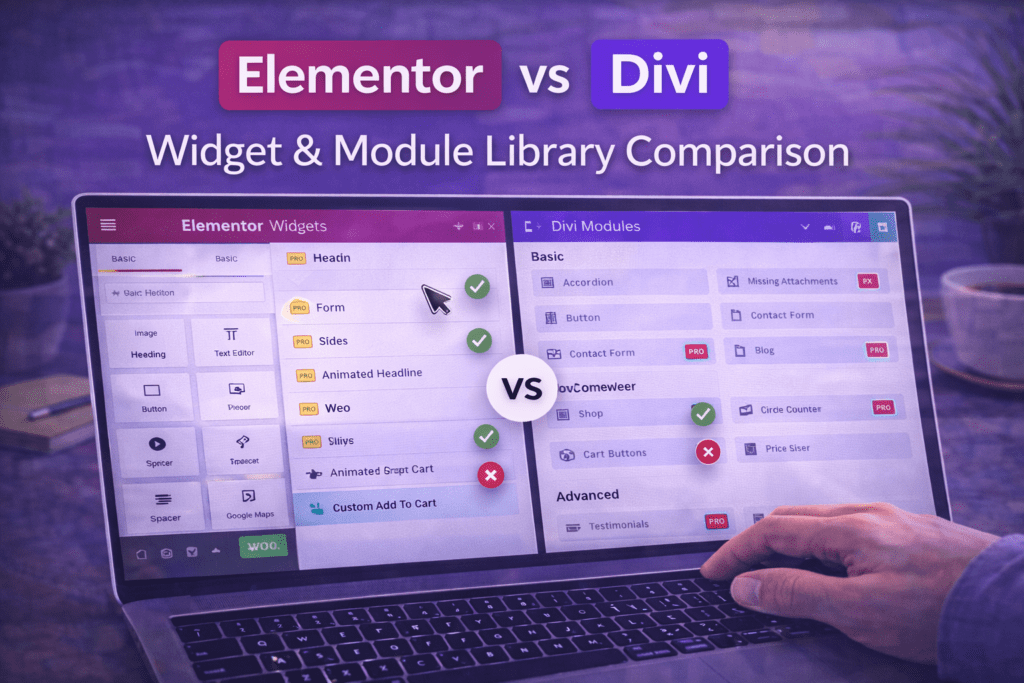
Elementor Pro includes over 100 widgets covering: text and media elements (Heading, Text Editor, Image, Video, Image Gallery, Image Carousel), layout elements (Container, Spacer, Divider), interaction elements (Button, Icon Box, Alert, Tooltip), navigation elements (Nav Menu, Breadcrumbs, Site Logo), form elements (Form, Login, Search), WooCommerce widgets (Product Grid, Add to Cart, Checkout), dynamic content widgets (Posts, Archive Posts, Portfolio), and marketing widgets (Countdown, Testimonial, Star Rating, Social Icons).
Elementor Pro’s Theme Builder deserves special mention in the Elementor vs Divi features comparison: it allows you to design and assign custom header, footer, single post, archive page, and 404 page templates using the same drag-and-drop editor, with display conditions that control exactly where each template appears. This makes Elementor Pro a complete theme replacement system, not just a page builder.
Divi Module Library
Divi’s modules library covers comparable ground: text and media modules (Text, Image, Video, Gallery, Slider), layout modules (Section, Row, Spacer, Divider), interactive modules (Button, Blurb, Accordion, Toggle, Tabs, Countdown), form modules (Contact Form, Email Optin), and marketing modules (Testimonial, Blog Feed, Portfolio, Shop). Divi also includes a Code module for embedding custom HTML and JavaScript directly in the builder.
Divi’s most distinctive exclusive feature in the Elementor vs Divi comparison is Divi Leads — a built-in A/B testing and split testing module that allows you to test different versions of page sections against each other and measure which version converts better. Elementor does not have a native equivalent; Elementor users who want A/B testing need a third-party tool like Nelio A/B Testing or Google Optimize alternatives.
AI Features: Elementor vs Divi in 2026
Both builders have introduced AI-powered features in recent versions. Elementor AI (available as an add-on) allows you to generate copy, create images, and build page layouts using natural language prompts directly within the Elementor editor. Divi AI offers similar functionality — generating copy, images, and code suggestions. In the Elementor vs Divi AI comparison, both tools are evolving rapidly and the feature parity between them is relatively close as of 2026.
Section 6: WooCommerce and eCommerce Support
WooCommerce integration is a practical consideration that matters significantly in the Elementor vs Divi comparison for anyone building an online store or eCommerce site on WordPress.
Elementor WooCommerce Builder
Elementor Pro includes a dedicated WooCommerce Builder that extends the Theme Builder to WooCommerce-specific page templates. You can design custom templates for: the shop page (product archive), individual product pages, the cart page, the checkout page, and the My Account page — all using the Elementor drag-and-drop editor with WooCommerce-specific widgets.
Elementor Pro’s WooCommerce widgets include: Product Grid, Product Carousel, Add to Cart button, Product Title, Product Price, Product Images, Product Tabs, Product Rating, Product Meta, Menu Cart, and more. The level of WooCommerce customization available in Elementor Pro is among the most comprehensive available in any page builder — you can build a fully custom product page layout without writing a single line of PHP or overriding template files. This is a significant advantage in the Elementor vs Divi eCommerce comparison for store owners who want visual control over every aspect of their WooCommerce frontend.
Divi WooCommerce Support
Divi supports WooCommerce through its Shop module and through compatibility with WooCommerce’s own page templates. The Divi Theme includes WooCommerce stylesheet integration that styles the default WooCommerce templates to match the Divi design system. However, Divi’s WooCommerce customization is less granular than Elementor Pro’s dedicated WooCommerce Builder — custom product page template design requires more manual CSS work or the use of third-party Divi child themes specifically built for WooCommerce.
In the Elementor vs Divi WooCommerce comparison, Elementor Pro has a meaningful advantage for shops that require deep visual customization of product and checkout pages. For simpler stores where default WooCommerce styling with minor adjustments is sufficient, Divi performs adequately.
Section 7: Third-Party Ecosystem and Add-On Plugins
The size and quality of the third-party ecosystem is one of the most consequential differences in the Elementor vs Divi comparison for power users and agencies who rely on add-on plugins to extend their builder’s capabilities.
Elementor’s Third-Party Ecosystem
Elementor has the largest third-party ecosystem of any WordPress page builder. A dedicated category of “Elementor add-on” plugins has grown around the platform, providing hundreds of additional widgets, templates, and integrations that extend Elementor’s native feature set. Major Elementor add-on plugins include Essential Addons for Elementor, Ultimate Addons for Elementor, Piotnet Addons, Crocoblock, ElementsKit, and many others — each adding dozens of specialized widgets not included in Elementor’s native library.
The breadth of this ecosystem means that virtually any feature you need on a WordPress site — advanced mega menus, timeline widgets, WooCommerce filters, dynamic pricing tables, custom form builders, advanced animation effects — almost certainly exists as an Elementor add-on plugin. This is a significant practical advantage in the Elementor vs Divi ecosystem comparison, particularly for agencies that build diverse site types and need specialized functionality for specific projects.
Divi’s Third-Party Ecosystem
Divi has a meaningful but smaller ecosystem of third-party add-ons and child themes. Divi-specific add-on plugins — such as Divi Areas Pro, DiviFlash, and various child theme marketplaces — provide additional modules and design capabilities beyond Divi’s native library. The community of designers creating and selling Divi child themes and layout packs is active and produces high-quality commercial templates.
However, Divi’s ecosystem is smaller than Elementor’s by a significant margin in terms of the number of available add-on plugins and the breadth of specialized widgets available. For projects with highly specific widget requirements, the Elementor vs Divi ecosystem gap becomes a practical constraint.
Section 8: Learning Curve and Ease of Use
The ease of getting productive with a page builder is an important factor in the Elementor vs Divi comparison — especially for users who are new to visual builders or who need to onboard team members or clients to the editing workflow.
Elementor Learning Curve
Elementor’s sidebar-based editor has a well-documented and widely acknowledged learning curve that is relatively gentle for new users. The interface is consistent — every widget’s settings always appear in the same left-panel location, organized across the same three tabs (Content, Style, Advanced). The layout model (Container → Widget) follows a logical hierarchy that new users typically understand within their first session.
Elementor’s extensive documentation, YouTube tutorial library, and the breadth of community-produced learning content (including the entire focus of elementor-resources.com) make it one of the best-documented builders in the Elementor vs Divi comparison. Finding answers to Elementor-specific questions is straightforward because the volume of tutorials, forum posts, and help articles available is enormous.
Divi Learning Curve
Divi’s inline editor has a steeper initial learning curve for users coming from other builders, primarily because the lack of a persistent settings panel means element settings are spread across multiple popups and context-specific overlays. Users who have learned Divi as their first builder report it feeling natural, but those switching from Elementor or Gutenberg often find Divi’s interaction model counterintuitive initially.
Divi’s documentation and tutorial library is solid but smaller in scope than Elementor’s. Elegant Themes maintains official video tutorials for Divi, and the Divi community on Facebook and forums is active — but the sheer volume of third-party learning content for Divi is lower than for Elementor in the Elementor vs Divi comparison.
Client Handoff Ease
For web professionals who build sites for clients, ease of client handoff — how intuitive the builder is for non-technical clients making their own edits — is a practical dimension of the Elementor vs Divi comparison. Both builders require some level of client training. Elementor’s consistent sidebar interface tends to be easier to explain to clients in a single session; Divi’s inline model can be more confusing for clients who accidentally activate the builder when clicking page elements.
Section 9: Support, Community, and Long-Term Reliability
When choosing between Elementor and Divi for projects that will be maintained for years, the long-term reliability and support infrastructure of each builder is a practical concern that deserves direct consideration in the Elementor vs Divi comparison.
Elementor Support and Community
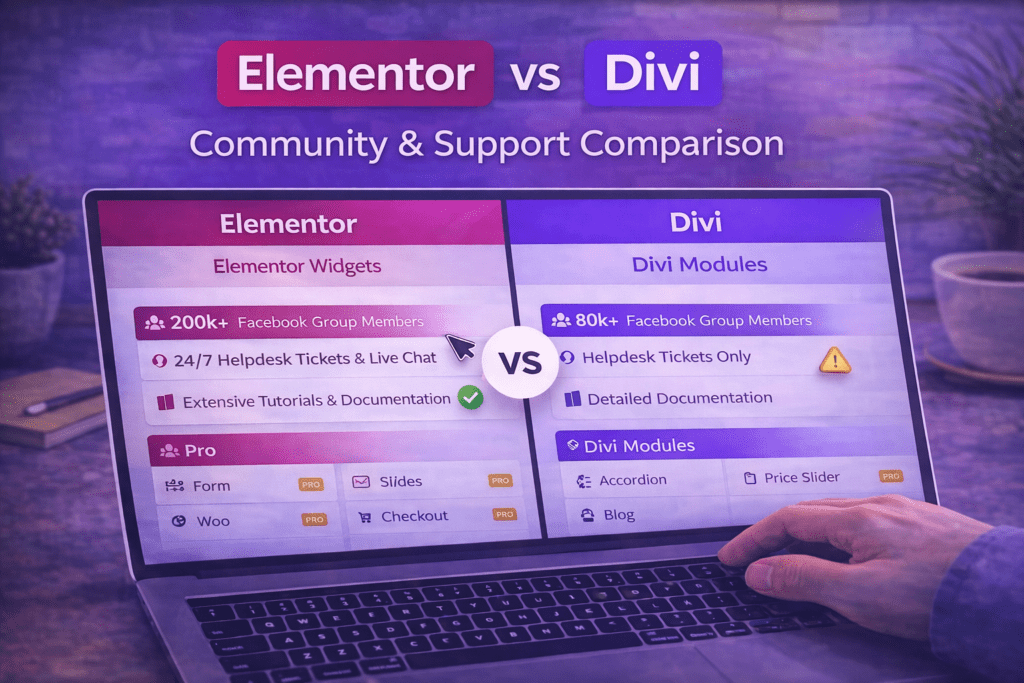
Elementor offers tiered support based on plan level. Free users have access to the community forums and documentation. Elementor Pro subscribers receive priority ticket-based support with response times that vary by plan tier. Elementor’s community is enormous — the official Elementor Community Facebook group has millions of members and is among the most active WordPress-specific groups on the platform. Stack Overflow, Reddit’s r/elementor, and YouTube collectively host hundreds of thousands of Elementor-related resources.
Elementor the company has received substantial venture capital funding and has grown into a significant WordPress-focused technology company. This institutional backing provides reasonable confidence in the builder’s long-term maintenance and development roadmap. However, the company’s scale also means product decisions are made with a large commercial user base in mind, and free tier feature restrictions have become more pronounced over time.
Divi Support and Community
Elegant Themes provides ticket-based support and a live chat option for all Divi subscribers — a support model that is slightly more accessible than Elementor’s for entry-level paid users. Elegant Themes has been operating since 2008 and has a long track record of maintaining its products through major WordPress updates and ecosystem changes, which is a positive signal for long-term reliability in the Elementor vs Divi comparison.
Divi’s community — the official Divi Facebook group, the Divi Nation community, and active subreddits — is large and engaged, though smaller than Elementor’s in absolute terms. Elegant Themes publishes regular development updates and has maintained a consistent release schedule for Divi updates.
In the Elementor vs Divi comparison, both builders have demonstrated long-term commitment to their products over many years. The more important question for most users is not which company will survive longer — both are established businesses — but which builder’s development direction aligns better with your workflow and site requirements over the next three to five years.
Elementor vs Divi: Final Verdict and Recommendations
After comparing both builders across pricing, editor experience, performance, templates, features, WooCommerce support, ecosystem, ease of use, and support, here is the direct verdict on the Elementor vs Divi question by user type.
Choose Elementor If:
- You want to start for free and upgrade only when you need Pro features
- You build primarily for clients and need a large ecosystem of add-on plugins to handle diverse project requirements
- WooCommerce store customization is a priority — Elementor Pro’s WooCommerce Builder is significantly more powerful than Divi’s WooCommerce support
- Performance optimization is a top priority and you want a builder with a clear, modern performance architecture (Flexbox Container, Improved Asset Loading)
- You want the largest available library of tutorials, learning content, and community resources
- You are building sites that will need deep Theme Builder customization (custom headers, footers, post templates, archive templates)
- Your team includes junior designers or non-technical editors who need a consistent, predictable interface
Choose Divi If:
- You build a high volume of client sites over many years and want to pay once for lifetime unlimited-site access
- Built-in A/B testing (Divi Leads) is important to your workflow and you do not want to add a separate testing plugin
- You prefer an inline editing experience and find sidebar-panel editors feel less immediate
- You want access to a large library of complete, cohesive industry-specific layout packs as your primary design starting point
- You are already invested in the Elegant Themes ecosystem and use their other products (Extra theme, Bloom plugin)
- Live chat support is important to you — Divi’s support access is slightly broader at the entry paid tier
The Honest Elementor vs Divi Bottom Line
For most users in 2026, Elementor wins the Elementor vs Divi comparison — particularly for agencies, WooCommerce stores, and users who value ecosystem breadth, performance architecture, and the availability of a free starting tier. Divi remains a strong, legitimate alternative — especially for high-volume builders who prioritize the lifetime pricing model and built-in A/B testing. Neither builder is categorically inferior; the best choice depends on your specific workflow, volume, and long-term site requirements.
| Use Case | Recommended Builder | Key Reason |
|---|---|---|
| Personal or hobby site | Elementor | Free tier covers most needs |
| Freelancer with 5–10 client sites/year | Elementor Pro | Broader ecosystem, stronger Theme Builder |
| Agency with 20+ sites, multi-year horizon | Divi Lifetime or Elementor Agency | Cost model depends on volume and tool preference |
| WooCommerce store | Elementor Pro | Dedicated WooCommerce Builder with full visual control |
| Design-focused portfolio site | Either (preference-dependent) | Both produce excellent visual results |
| Conversion-focused landing pages | Elementor Pro | Native Form widget, Popup Builder, A/B via third-party |
Common Mistakes When Choosing Between Elementor and Divi
These are the most frequent errors people make when evaluating the Elementor vs Divi question — and the perspective shifts that lead to better decisions.
1. Choosing based on price alone. Divi’s lifetime pricing is genuinely attractive, but “cheaper over time” only holds if you actually use Divi for enough sites over enough years to justify the upfront investment. Elementor’s free tier and low-cost single-site Pro plan are cheaper for users who build only a few sites. Run the actual math for your specific volume and time horizon before treating lifetime pricing as an automatic win in the Elementor vs Divi comparison.
2. Not testing both editors before committing. Editor preference is highly personal — some designers strongly prefer Elementor’s sidebar model, others prefer Divi’s inline approach. Both builders offer ways to test before committing (Elementor Free is permanently free; Divi has a 30-day money-back guarantee). Spend an hour building a test page in each before making a final decision in the Elementor vs Divi debate.
3. Ignoring the lock-in implications. Both Elementor and Divi produce builder-specific shortcodes and HTML structures. Switching from one to the other mid-project means rebuilding pages — not just changing a plugin. Factor the switching cost into your Elementor vs Divi decision at the outset rather than discovering it after you have built twenty pages.
4. Underestimating the ecosystem difference. The gap between Elementor’s and Divi’s third-party add-on ecosystems is significant in practice. If you regularly need specialized widgets — advanced mega menus, custom WooCommerce product layouts, dynamic content from custom post types — Elementor’s larger ecosystem provides more solutions out of the box. In the Elementor vs Divi ecosystem comparison, this difference grows as your project requirements become more complex.
5. Treating performance as an afterthought. Both builders require deliberate optimization to achieve competitive PageSpeed scores. Neither is fast out of the box without configuration. Before judging either builder as “slow” in the Elementor vs Divi performance comparison, ensure you have applied the builder’s own optimization settings (Improved Asset Loading for Elementor, Static CSS File Generation for Divi) alongside a caching plugin and image optimization.
6. Choosing the builder your theme requires rather than the builder that fits your workflow. Some premium WordPress themes are built specifically for Divi and use Divi’s shortcode structure as their content model. Others are built for Elementor. Selecting a theme that requires a specific builder and then concluding the builder is the right choice conflates two separate decisions. Choose your builder based on the Elementor vs Divi criteria in this guide, then choose a compatible theme.
Elementor vs Divi Decision Checklist
- ☐ Identified primary use case: personal site, freelance client work, or agency volume
- ☐ Calculated actual cost for each builder based on number of sites over expected time horizon
- ☐ Tested Elementor Free on a practice site to evaluate the sidebar editor experience
- ☐ Tested Divi using the Elegant Themes trial or demo to evaluate the inline editor experience
- ☐ Identified whether WooCommerce store building is a requirement (Elementor Pro has an advantage)
- ☐ Assessed whether built-in A/B testing (Divi Leads) is a required feature or a nice-to-have
- ☐ Reviewed the add-on plugin availability for any specialized widgets needed for projects
- ☐ Considered the lock-in implications and the switching cost if you change builders later
- ☐ Evaluated client editing needs — which interface is easier to hand off to non-technical users
- ☐ Checked community and documentation quality for the types of questions your projects generate
- ☐ Confirmed PHP version and hosting environment meet performance requirements for the chosen builder
- ☐ Made the Elementor vs Divi decision based on workflow fit, not just marketing or price alone
Frequently Asked Questions About Elementor vs Divi
Is Elementor better than Divi?
For most users in 2026, Elementor is the stronger choice in the Elementor vs Divi comparison — particularly for its free starting tier, larger third-party ecosystem, superior WooCommerce Builder, cleaner performance architecture, and the breadth of available learning resources. However, “better” is context-dependent. Divi is the better choice for high-volume builders who want lifetime unlimited-site pricing and built-in A/B testing. The honest answer to Elementor vs Divi is: Elementor wins for most users, but Divi wins for specific use cases.
Can I switch from Divi to Elementor (or vice versa)?
Switching between Elementor and Divi mid-project requires rebuilding pages in the new builder — there is no automated migration tool that converts Divi shortcodes to Elementor widgets or vice versa. Both builders store page content in proprietary formats that are not portable between them. In the Elementor vs Divi lock-in comparison, this is a real cost that should factor into the initial builder decision. For sites already live on one builder, the switching cost is high enough that it is generally more practical to continue with the existing builder unless there is a compelling reason to migrate.
Which is faster — Elementor or Divi?
On fully optimized configurations — both builders with their best performance settings enabled, lightweight themes, caching plugins, and WebP images — the performance difference between Elementor and Divi is small. Elementor’s newer Flexbox Container layout model produces marginally cleaner HTML output than Divi’s Section/Row/Column structure, giving Elementor a slight edge in the Elementor vs Divi performance comparison. Neither builder is fast out of the box without optimization; both require deliberate configuration to achieve competitive PageSpeed scores.
Does Divi work with Elementor?
No — Elementor and Divi are competing page builders that cannot be used on the same page simultaneously. Installing both plugins on the same WordPress site is not recommended, as they load conflicting scripts and stylesheets that degrade performance and can produce editor conflicts. In the Elementor vs Divi question, you choose one or the other for a given website — not both.
Is Divi’s lifetime pricing worth it?
Divi’s lifetime pricing is worth it if you build a significant number of WordPress sites over a multi-year period. If you build ten or more client sites over five years, the per-site cost of Divi’s lifetime license approaches a few dollars per site — significantly lower than Elementor’s annual Pro subscription on a per-site basis. For freelancers and agencies with steady build volume, the Elementor vs Divi lifetime pricing calculation often favors Divi. For users building only one or two sites, Elementor Free or a low-tier Elementor Pro plan is more cost-effective.
Which builder has better support?
Both builders provide ticket-based support for paid subscribers. Divi’s entry-level support includes live chat, which is slightly more accessible than Elementor’s ticket system for entry-tier Pro subscribers. Elementor’s community support — through its enormous Facebook community, forums, and the volume of third-party tutorials available — is significantly larger than Divi’s in aggregate. For self-directed troubleshooting, Elementor wins the Elementor vs Divi support comparison due to the sheer volume of available resources. For direct company support access, Divi’s live chat option is an advantage.
Which builder is better for beginners?
Elementor is generally considered more beginner-friendly in the Elementor vs Divi comparison. The consistent left-panel interface, with all settings organized in the same location for every widget, is easier to learn and explain than Divi’s inline popup-based editing model. Elementor’s free tier also allows beginners to start building without any financial commitment, which lowers the barrier to getting hands-on experience. The volume of beginner-focused tutorials available for Elementor — including on YouTube, dedicated blogs, and learning platforms — is also significantly larger than what is available for Divi.
