
Elementor vs Gutenberg: Which Builder Is Better in 2026?
The Elementor vs Gutenberg debate has become one of the defining questions in the WordPress ecosystem — and in 2026, it is more relevant than ever. Both tools are now deeply mature, both have massive user bases, and both are actively developed. But they represent fundamentally different philosophies about how WordPress should work, what a page builder should be, and who the typical user is. Choosing the wrong one for your project does not just affect how you build pages — it shapes your site’s performance, long-term maintainability, editorial workflow, and the ceiling of what you can design without touching code.
Most elementor vs gutenberg comparisons focus on features and screenshots. That is not enough. The real comparison is about fit: which builder matches your technical comfort level, your design ambitions, your performance requirements, and the type of website you are building. A blogger building a minimal content site has very different needs than a freelancer building client landing pages or a developer delivering custom WordPress solutions. The right answer in the elementor vs gutenberg debate is different for each of them.
This guide covers the full elementor vs gutenberg comparison for 2026 — how each builder works, where each excels, performance implications, learning curves, pricing, and the specific scenarios where one clearly outperforms the other. By the end, you will have a clear, honest framework for choosing the right builder for your specific use case.
Table of Contents
- Elementor vs Gutenberg: How Each Builder Works
- Section 1: Design Flexibility — Elementor vs Gutenberg
- Section 2: Elementor vs Gutenberg Performance Comparison
- Section 3: Ease of Use — Elementor vs Gutenberg for Beginners
- Section 4: Elementor vs Gutenberg for Developers
- Section 5: Templates, Blocks, and Design Libraries
- Section 6: Pricing — Elementor Free vs Pro vs Gutenberg
- Section 7: Elementor vs Gutenberg for SEO and Core Web Vitals
- Section 8: Elementor vs Gutenberg — WooCommerce and eCommerce
- Section 9: Which Builder Should You Choose in 2026?
- Common Elementor vs Gutenberg Mistakes to Avoid
- Elementor vs Gutenberg Decision Checklist
- Frequently Asked Questions About Elementor vs Gutenberg
Elementor vs Gutenberg: How Each Builder Works
Understanding the elementor vs gutenberg distinction starts with the foundational architecture of each tool — because the architecture determines everything downstream: how flexible the design is, how the output performs, and how the interface feels day to day.
Gutenberg is the native WordPress block editor, introduced in WordPress 5.0 in 2018 and now deeply integrated into WordPress core. It builds pages using a block-based system — every piece of content (paragraph, image, heading, button, column) is an individual block that can be configured, moved, and styled.
Gutenberg stores content as clean HTML with block comments in the WordPress database, which means the content is portable, readable, and not locked to a third-party plugin. As of 2026, Gutenberg has expanded significantly through the Full Site Editing (FSE) initiative, which extends block-based editing to headers, footers, sidebars, and the entire site template — not just individual post content. According to WordPress’s official block editor documentation, Gutenberg is now the default and recommended editing experience for all new WordPress sites.
Elementor is a third-party visual page builder plugin founded in 2016, now with over 10 million active installations making it the most widely used page builder plugin in the WordPress ecosystem. Elementor uses a drag-and-drop visual editor that operates in a live preview panel separate from the standard WordPress post editor. You build layouts using widgets — Elementor’s equivalent of blocks — arranged in a Section → Column → Widget hierarchy (or the newer Container/Flexbox model introduced in Elementor 3.6). Elementor stores its design data as serialized JSON in the WordPress postmeta table, which provides more complex layout flexibility than Gutenberg’s HTML-based approach but creates a dependency on the Elementor plugin to render the content correctly.
The core elementor vs gutenberg difference is not about which tool has more features — it is about the tradeoff between design freedom and platform independence. Elementor gives you a pixel-precise visual canvas with deep styling controls; Gutenberg gives you a native WordPress experience with cleaner output, better performance defaults, and content that survives a plugin removal. Neither is universally better. They optimize for different priorities.
This architectural difference in elementor vs gutenberg has real downstream consequences. Elementor’s design flexibility comes with a JavaScript overhead cost that affects page load performance. Gutenberg’s clean output and native integration come at the cost of a more constrained design toolset — though Full Site Editing has significantly narrowed that gap in 2026.
Section 1: Design Flexibility — Elementor vs Gutenberg
Design flexibility is where the elementor vs gutenberg gap is most pronounced — and for many users, it is the single most important dimension of the comparison.
Elementor’s Design Capabilities
Elementor was built from the ground up as a visual design tool, and it shows. The editor gives you pixel-level control over spacing, typography, colors, borders, shadows, and positioning for every individual widget on the page. You can set different values for desktop, tablet, and mobile breakpoints independently. You can apply custom CSS to any widget directly from the editor panel. You can use motion effects, entrance animations, sticky positioning, parallax scrolling, custom cursors, and shape dividers — all without writing a single line of code. Elementor Pro extends this further with a Theme Builder for headers, footers, and archive templates, a Popup Builder, a Form Builder, a WooCommerce Builder, and dynamic content capabilities using custom fields.
In the elementor vs gutenberg comparison for design, Elementor is simply the more capable visual tool for complex, custom layouts. A designer who wants to produce a page that looks exactly like a Figma mockup — with specific spacing, gradient overlays, custom hover states, and responsive breakpoint control — will have that conversation entirely within Elementor’s interface. The same level of design control in Gutenberg requires significantly more custom CSS or a third-party block plugin.
Gutenberg’s Design Capabilities
Gutenberg’s design capabilities have improved substantially with each WordPress release. The block editor now supports custom colors, gradients, typography settings, spacing controls, border options, and basic animation effects natively.
The Full Site Editing system gives designers control over the global site appearance — fonts, color palettes, spacing scales — through the Site Editor without needing a separate theme customizer. The pattern system allows pre-designed block arrangements to be saved and reused across pages.
However, in the honest elementor vs gutenberg design comparison, Gutenberg’s controls are less granular and less visual than Elementor’s. You cannot drag and drop with the same freedom, pixel-nudge elements into position, or access the same depth of per-widget styling without leaving the clean block interface. For users who need precise visual control over complex layouts, Gutenberg’s current capabilities — even in 2026 — still require more workarounds, custom blocks, or additional plugins to match what Elementor delivers natively.
Design Flexibility Comparison Table
| Design Feature | Elementor | Gutenberg |
|---|---|---|
| Drag-and-drop positioning | ✅ Full visual drag-and-drop | ⚠️ Block-level drag only |
| Per-element spacing control | ✅ Pixel-precise margin/padding | ⚠️ Limited without custom CSS |
| Responsive breakpoint control | ✅ Desktop / Tablet / Mobile + custom | ⚠️ Basic responsive controls |
| Motion effects and animations | ✅ Built-in scroll and entrance effects | ❌ Requires third-party blocks |
| Theme / header / footer builder | ✅ Elementor Pro Theme Builder | ✅ Full Site Editing (FSE) |
| Popup builder | ✅ Elementor Pro | ❌ Requires separate plugin |
| Custom CSS per element | ✅ Available on every widget | ⚠️ Block-level only, less intuitive |
| Global design tokens (colors, fonts) | ✅ Global Colors and Fonts system | ✅ Theme.json and Site Editor |
Section 2: Elementor vs Gutenberg Performance Comparison
Performance is the dimension of the elementor vs gutenberg comparison where Gutenberg holds its clearest advantage — and for many site owners in 2026, it is the deciding factor.
Why Elementor Has a Performance Cost
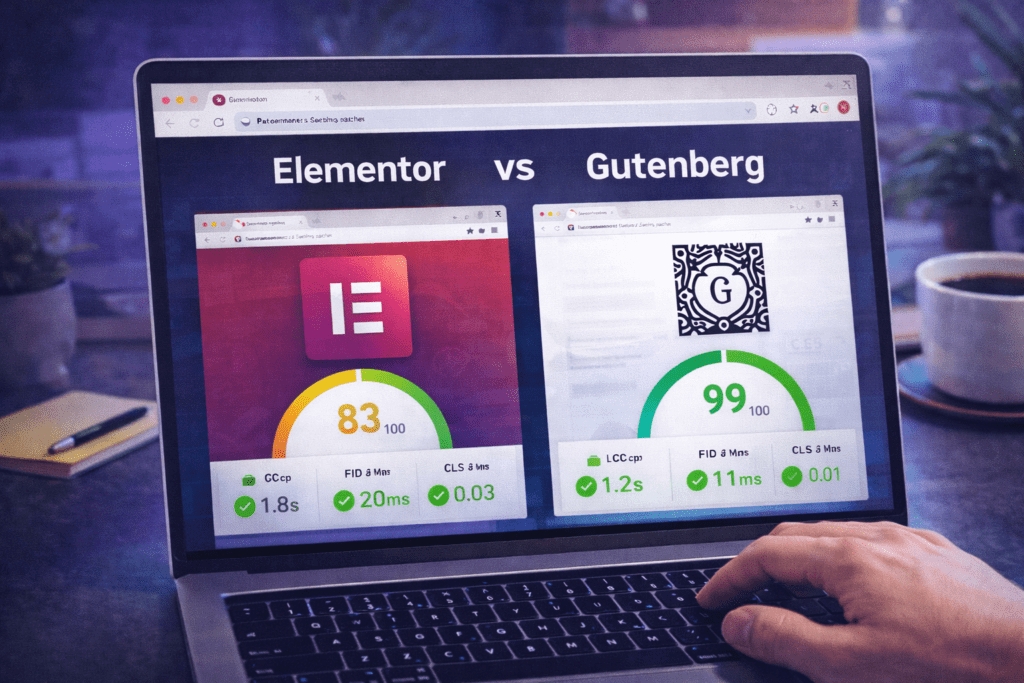
Elementor loads its own CSS and JavaScript on every page where it has been used — the core Elementor frontend script, the icons library, the animations library, and any additional assets from widgets used on that page. According to performance benchmarks published by Kinsta’s WordPress performance research, pages built with Elementor typically add 150–300KB of additional page weight compared to a comparable page built with Gutenberg, before any optimization is applied. This directly impacts Core Web Vitals scores — particularly Largest Contentful Paint (LCP) and Total Blocking Time (TBT) — which are Google ranking signals.
Elementor has made meaningful performance improvements in recent versions, introducing an Improved Asset Loading feature that attempts to load only the CSS for widgets actually used on each specific page, rather than loading all widget styles globally. This reduces the performance gap with Gutenberg considerably, but it requires configuration and does not fully eliminate the overhead of Elementor’s JavaScript runtime.
Gutenberg’s Performance Advantage
Gutenberg outputs clean, semantic HTML with minimal additional JavaScript by default. Because it is built into WordPress core, its scripts are already loaded as part of WordPress’s standard execution — there is no third-party plugin overhead on the front-end for basic content display. Pages built with Gutenberg, using a lightweight theme like Twenty Twenty-Four or a performance-focused theme like Kadence or GeneratePress, consistently outperform equivalent Elementor pages on Core Web Vitals metrics in head-to-head testing.
In the elementor vs gutenberg performance comparison, Gutenberg is the right choice for sites where page speed is a primary requirement — news sites, blogs, affiliate sites, or any project where Core Web Vitals scores directly affect search ranking or user retention.
Performance Comparison at a Glance
| Performance Metric | Elementor (optimized) | Gutenberg |
|---|---|---|
| Additional page weight (approx.) | 50–150KB after optimization | Minimal (0–20KB additional) |
| JavaScript blocking time | Higher without optimization | Lower by default |
| Core Web Vitals out of the box | Requires optimization work | Better defaults |
| Performance with caching enabled | Good to excellent | Excellent |
| Google PageSpeed score (typical) | 65–85 (before optimization) | 80–95 (without optimization) |
Section 3: Ease of Use — Elementor vs Gutenberg for Beginners
The elementor vs gutenberg ease of use comparison produces a result that surprises many people: Elementor is actually easier for beginners who want to design pages, while Gutenberg is easier for beginners who just want to write and publish content.
Elementor for Beginners
Elementor’s drag-and-drop visual editor shows you exactly what your page looks like as you build it — there is no gap between the editing view and the published view. You drag a widget onto the canvas, see it appear in real time, click it to open its settings panel, and style it visually. The workflow is intuitive for anyone familiar with desktop design tools like Canva, Adobe XD, or even PowerPoint. Elementor’s template library also gives beginners a fast starting point — you can deploy a professionally designed full-page template and then customize it, rather than building from a blank canvas.
The learning curve in elementor vs gutenberg for beginners using Elementor is steepest at the structural level — understanding the Section → Column → Widget hierarchy (or Container model) takes time to internalize. But once that mental model clicks, the editor is genuinely intuitive for producing visually polished pages without any coding knowledge.
Gutenberg for Beginners
Gutenberg is easier for beginners whose primary goal is content publishing. If you are writing blog posts, adding images, formatting text, and publishing — Gutenberg’s block interface is clean, minimal, and fast. The distraction-free editor, full-screen writing mode, and keyboard shortcuts make it a genuinely pleasant writing environment. For content-focused users, the elementor vs gutenberg ease of use winner is clearly Gutenberg.
Where Gutenberg becomes challenging for beginners is custom page layout. Building a complex homepage, a landing page, or a marketing page with multiple sections, backgrounds, and visual treatments in Gutenberg requires a steeper learning curve than in Elementor — more blocks to manage, more settings scattered across different panels, and less intuitive visual feedback on spacing and alignment.
Section 4: Elementor vs Gutenberg for Developers
For developers, the elementor vs gutenberg comparison shifts significantly. Both tools are extensible and support custom development, but they reward different technical approaches.
Developing for Gutenberg
Gutenberg is built on React and uses a JavaScript-first development model. Creating custom blocks requires knowledge of React, the WordPress block API, and the block.json registration format. The learning curve is steeper than traditional PHP-based WordPress development, but the output is clean, performant, and fully integrated with WordPress core. According to the official WordPress Block Editor Handbook, Gutenberg’s block development API supports server-side rendering, dynamic blocks, block variations, block styles, and a comprehensive set of hooks for extending core blocks without forking them. For developers building reusable block plugins for distribution, Gutenberg is the clear investment.
Developing for Elementor
Elementor’s developer API allows custom widgets to be created using PHP — a more familiar model for traditional WordPress developers. The Elementor Developers documentation provides a structured API for registering custom widgets, controls, and widget categories. For agencies and developers building client sites, Elementor’s PHP-based widget API means custom functionality can be added with less JavaScript knowledge than Gutenberg’s React model requires. Elementor also supports custom dynamic tags, custom conditions for display, and custom extensions for the Pro features.
In the elementor vs gutenberg comparison for developers, the right choice depends on your technical stack and your long-term direction. Gutenberg is the future of WordPress — investing in block development aligns with the platform’s trajectory. Elementor remains the dominant client-site builder — investing in Elementor development serves immediate market demand and agency workflows.
Section 5: Templates, Blocks, and Design Libraries
Both tools offer extensive template and design libraries, but the scope and accessibility of these resources differs meaningfully in the elementor vs gutenberg comparison.
Elementor’s Template Library
Elementor’s built-in template library includes hundreds of professionally designed full-page templates, landing page templates, and section templates available directly within the editor. Free users can access a subset of the library; Elementor Pro subscribers unlock the full catalog. Templates are categorized by industry and page type, and can be imported with a single click — including all images (subject to licensing), typography settings, and layout configurations. Elementor’s template ecosystem is also extended by a large market of third-party template providers and Elementor kit marketplaces.
Gutenberg’s Pattern Library
Gutenberg’s equivalent of templates is its Pattern library — pre-designed block arrangements that can be inserted into any page. The official WordPress pattern directory at wordpress.org/patterns hosts thousands of community-submitted patterns across dozens of categories. Patterns can also be created and saved within your own site for reuse across pages. Theme-specific patterns — bundled with block themes like Twenty Twenty-Four or Kadence — further extend what is available without any additional plugin.
In the elementor vs gutenberg template comparison, Elementor’s library is more immediately impressive — full-page templates are more polished and immediately deployable than individual block patterns. But Gutenberg’s pattern ecosystem has grown substantially and now provides a credible alternative for content-focused site types.

Section 6: Pricing — Elementor Free vs Pro vs Gutenberg
Pricing is one of the clearest dimensions of the elementor vs gutenberg comparison — because Gutenberg is entirely free forever, while Elementor’s most powerful features sit behind a paid Pro subscription.
Gutenberg Pricing
Gutenberg is free, open-source, and included in every WordPress installation. There are no tiers, no premium plans, and no paid upgrades required to access any of Gutenberg’s core functionality — including Full Site Editing, the pattern library, global styles, and template editing. Some third-party block plugins add premium features (Kadence Blocks Pro, GenerateBlocks Pro, etc.), but the base Gutenberg experience is fully featured at zero cost.
Elementor Pricing
Elementor has a free version available on the WordPress plugin repository that includes the core drag-and-drop editor, basic widgets, and a limited template library. Elementor Pro — which adds the Theme Builder, Popup Builder, Form Builder, WooCommerce Builder, dynamic content, motion effects, and the full template library — is a paid annual subscription. As of 2026, Elementor Pro is priced starting at $59/year for a single site license, with higher tiers for multiple sites.
| Feature | Elementor Free | Elementor Pro | Gutenberg |
|---|---|---|---|
| Core drag-and-drop editor | ✅ | ✅ | ✅ (block-based) |
| Theme / header / footer builder | ❌ | ✅ | ✅ (FSE) |
| Popup builder | ❌ | ✅ | ❌ |
| Form builder | ❌ | ✅ | ❌ (plugin required) |
| WooCommerce builder | ❌ | ✅ | ⚠️ (via WooCommerce blocks) |
| Dynamic content / ACF integration | ❌ | ✅ | ⚠️ (via third-party blocks) |
| Annual cost | Free | From $59/year | Free |
In the elementor vs gutenberg pricing comparison, Gutenberg wins on cost by definition. But for users who need a popup builder, dynamic content, a WooCommerce product page builder, or a professional form system, Elementor Pro’s $59/year price point is competitive with purchasing individual plugins to fill those gaps in Gutenberg — making the real cost comparison more nuanced than it first appears.
Section 7: Elementor vs Gutenberg for SEO and Core Web Vitals
SEO is a significant dimension of the elementor vs gutenberg comparison for any site that depends on organic search traffic. Both builders are compatible with all major WordPress SEO plugins — RankMath, Yoast SEO, and All in One SEO work correctly with content built in both Gutenberg and Elementor. The SEO difference between the two builders is primarily about performance, code cleanliness, and the impact on Google’s Core Web Vitals scoring.
Core Web Vitals and the Elementor vs Gutenberg Impact
Google’s Core Web Vitals — Largest Contentful Paint (LCP), Cumulative Layout Shift (CLS), and Interaction to Next Paint (INP) — are confirmed ranking signals. Pages that score poorly on these metrics face a ranking disadvantage relative to comparable pages that perform well. In the elementor vs gutenberg Core Web Vitals comparison, Gutenberg-built pages have a structural advantage: less JavaScript blocking time, cleaner HTML output, and fewer render-blocking resources by default.
Elementor pages can achieve strong Core Web Vitals scores with optimization — using Elementor’s Improved Asset Loading, deferring non-critical JavaScript, serving images in next-gen formats, and using a performance-focused caching and CDN setup. But this optimization requires deliberate configuration work that Gutenberg pages do not need to the same degree. For site owners who want good Core Web Vitals scores with minimal optimization effort, elementor vs gutenberg favors Gutenberg.
Semantic HTML and Heading Structure
Both builders support proper heading hierarchy (H1 through H6), semantic HTML elements, and schema markup integration through SEO plugins. Gutenberg’s output is inherently cleaner — less wrapper div nesting, no Elementor-specific data attributes on every element — which produces slightly leaner HTML that is easier for search engine crawlers to parse. This is a secondary SEO factor compared to content quality and page speed, but it is a genuine difference in the elementor vs gutenberg comparison for technically precise SEO work.
Section 8: Elementor vs Gutenberg — WooCommerce and eCommerce
For WooCommerce-based sites, the elementor vs gutenberg comparison has specific dimensions worth examining separately.
Elementor WooCommerce Builder
Elementor Pro includes a dedicated WooCommerce Builder that allows custom design of product pages, shop archive pages, cart, checkout, and account pages using the visual drag-and-drop editor. This is one of Elementor’s most compelling Pro features — it allows non-developers to produce fully custom WooCommerce templates that would otherwise require a developer and custom PHP templates. If your eCommerce site needs visually differentiated product pages, custom checkout flows, or a branded shop experience that goes beyond WooCommerce’s default templates, Elementor Pro’s WooCommerce Builder is a strong tool in the elementor vs gutenberg eCommerce comparison.
Gutenberg and WooCommerce Blocks
WooCommerce has invested heavily in its own block-based editor integration, with the WooCommerce Blocks plugin providing Gutenberg-native blocks for products, cart, checkout, and account pages. The block-based checkout introduced in recent WooCommerce versions is now the recommended default, and it is built entirely on Gutenberg blocks. For standard WooCommerce sites that do not need highly customized templates, the native WooCommerce block integration with Gutenberg is fully functional and performant. In the elementor vs gutenberg WooCommerce comparison, Elementor Pro wins for design customization depth, while Gutenberg wins for performance and native integration.

Section 9: Which Builder Should You Choose in 2026?
After the full elementor vs gutenberg comparison across design, performance, ease of use, development, templates, pricing, SEO, and eCommerce, the answer comes down to what your site needs to do and who is building it.
Choose Elementor If:
- You are building landing pages, marketing pages, or client sites that require precise visual design and custom layouts
- You want a popup builder, form builder, and WooCommerce product page builder in a single plugin ecosystem
- You are an agency or freelancer delivering sites to clients who will need to edit content visually without technical training
- You want a drag-and-drop interface that shows real-time visual feedback as you design
- Your project requires complex animations, motion effects, or sticky/fixed position elements built without code
- You are willing to invest in performance optimization to achieve strong Core Web Vitals scores despite Elementor’s script overhead
Choose Gutenberg If:
- You are building a blog, news site, or content-heavy site where writing speed and clean output matter more than visual design control
- You want the best possible Core Web Vitals scores with minimal optimization effort
- You are a developer who wants to invest in WordPress’s long-term native direction (Full Site Editing, block API)
- You want to avoid annual plugin costs and work entirely within the free WordPress ecosystem
- You are building sites that prioritize content portability — if the Gutenberg plugin were removed, your content would still be readable HTML
- Your design needs are met by the block pattern library and a well-designed block theme
The Honest 2026 Answer
For design-focused websites — agency sites, landing pages, service businesses, eCommerce stores needing custom templates — Elementor remains the stronger tool in the elementor vs gutenberg comparison in 2026. Its design depth, template library, and all-in-one Pro feature set are genuinely difficult to replicate in Gutenberg without assembling multiple plugins.
For content-first websites — blogs, news sites, affiliate sites, documentation — Gutenberg is now fully competitive and often the better choice in the elementor vs gutenberg comparison due to its performance advantages, zero cost, and alignment with WordPress’s native direction.
Common Elementor vs Gutenberg Mistakes to Avoid
These are the errors that lead WordPress users to choose the wrong builder, underperform on the one they chose, or spend months wishing they had made a different decision.
1. Choosing Elementor purely because it looks more impressive in demos. Elementor’s visual editor and template library are genuinely impressive — but if your site is primarily a blog or a simple business site, that design power comes with a performance cost you may not need to accept. Evaluate the elementor vs gutenberg decision against your actual use case, not the most feature-rich demo you can find.
2. Choosing Gutenberg assuming it will cover all your design needs without additional tools. Gutenberg’s native design capabilities are solid but have real limits for complex custom layouts. If you choose Gutenberg for a project that eventually requires custom landing pages, popups, or advanced WooCommerce templates, you will end up adding block plugins that partially replicate Elementor’s functionality anyway. Map your design requirements honestly before committing.
3. Not accounting for Elementor’s performance impact in your project planning. Elementor pages are heavier than Gutenberg pages by default, and optimizing for Core Web Vitals on an Elementor site requires deliberate configuration of caching, asset loading settings, and image optimization. If you choose Elementor for a performance-sensitive project without planning for this optimization work, your Core Web Vitals scores will suffer.
4. Mixing Elementor and Gutenberg on the same site without a clear strategy. Some WordPress sites end up with some pages built in Elementor and others in Gutenberg — often because the site started in one builder and migrated partially to another. This creates inconsistency in how pages render, how styles are applied, and how editors interact with content. Choose one builder as your primary tool and use the other only for specific, justified exceptions.
5. Assuming Gutenberg’s learning curve is low for non-technical users. Gutenberg is easier than Elementor for content writing, but harder for custom layout design. Non-technical clients who need to build and edit visually complex pages often find Gutenberg’s block model more confusing than Elementor’s drag-and-drop canvas. In the elementor vs gutenberg client handoff scenario, Elementor typically requires less training for design-editing tasks.
6. Not considering plugin lock-in when choosing Elementor. Elementor stores its design data in a custom format that is not transferable if you ever decide to switch builders. Pages built in Elementor will show as raw shortcode or broken content if Elementor is deactivated. This is not a reason to avoid Elementor — it is a reason to make the decision deliberately and understand what you are committing to long-term.
7. Ignoring the elementor vs gutenberg decision when building for clients. For agencies and freelancers, the elementor vs gutenberg choice affects your client’s ongoing ability to maintain their site. If your client’s team is non-technical but needs to edit page layouts, Elementor’s visual editor is typically a better handoff experience. If they only need to update content in existing layouts, Gutenberg is simpler and has no ongoing plugin cost for the client.
8. Treating the elementor vs gutenberg decision as permanent. Both builders have evolved significantly and will continue to do so. Gutenberg’s Full Site Editing is closing the design gap with Elementor. Elementor’s performance improvements are closing the speed gap with Gutenberg. Revisit this decision annually and be willing to reconsider as both tools evolve.
Elementor vs Gutenberg Decision Checklist
- ☐ Defined whether my primary goal is visual design control (Elementor) or content publishing performance (Gutenberg)
- ☐ Assessed whether my project requires a popup builder, form builder, or WooCommerce product page builder
- ☐ Checked whether my Core Web Vitals performance requirements favor Gutenberg’s lighter output
- ☐ Determined whether I am building for myself (technical) or handing off to a non-technical client
- ☐ Checked the pricing impact — Gutenberg is free; Elementor Pro costs from $59/year
- ☐ Evaluated whether my design requirements are met by Gutenberg’s native block and pattern library
- ☐ Considered the long-term plugin lock-in implications of building in Elementor
- ☐ Decided which builder I will use as the primary tool across my site (avoiding a mixed approach)
- ☐ If choosing Elementor, planned for performance optimization work (Improved Asset Loading, caching, image formats)
- ☐ If choosing Gutenberg, identified any third-party block plugins needed to fill design capability gaps
Frequently Asked Questions About Elementor vs Gutenberg
Is Elementor better than Gutenberg?
Neither builder is universally better — the elementor vs gutenberg answer depends on your use case. Elementor is better for projects requiring complex visual design, custom landing pages, and an all-in-one plugin ecosystem with popups, forms, and WooCommerce customization. Gutenberg is better for content-focused sites, performance-sensitive projects, and developers building on WordPress’s native long-term direction. Evaluate both against your specific project requirements rather than treating one as objectively superior.
Does Elementor slow down your website?
Elementor does add JavaScript and CSS overhead to pages it builds — typically 150–300KB before optimization. This can reduce Core Web Vitals scores if not addressed. However, Elementor’s Improved Asset Loading feature (enabled in Elementor → Settings → Performance) significantly reduces this overhead by loading only the CSS for widgets used on each specific page. With proper optimization — caching, CDN, image optimization, and asset loading configuration — Elementor pages can achieve strong page speed scores. The key point in the elementor vs gutenberg performance comparison is that Gutenberg achieves good scores by default, while Elementor requires deliberate optimization to reach the same level.
Can I use Elementor and Gutenberg on the same site?
Technically yes — you can use Gutenberg for some pages and Elementor for others on the same WordPress site. However, this creates inconsistencies in styling, editing experience, and maintenance. If you have a strong reason to use both (for example, Elementor for landing pages and Gutenberg for blog posts), it is manageable, but it requires careful planning to maintain consistent global styles across both editors. For most sites, choosing one as your primary builder and using the other only where genuinely necessary produces better long-term results.
Is Gutenberg good enough to replace Elementor in 2026?
For content-heavy sites, blogs, and simple business sites — yes, Gutenberg in 2026 is a fully capable replacement for Elementor, particularly with a well-designed block theme and a quality block plugin like Kadence Blocks or GenerateBlocks. For complex marketing sites, custom eCommerce stores, and client sites requiring advanced visual design without code — Gutenberg has improved significantly but still falls short of what Elementor Pro delivers natively. The honest elementor vs gutenberg answer in 2026 is that Gutenberg is now competitive for a broader range of use cases than it was two years ago, but Elementor Pro’s feature depth still justifies its cost for design-intensive projects.
What is the main difference between Elementor and Gutenberg?
The fundamental elementor vs gutenberg difference is architectural and philosophical. Elementor is a third-party visual drag-and-drop page builder that stores design data in a custom format, prioritizes design freedom, and loads its own scripts on the front-end. Gutenberg is WordPress’s native block editor, built into WordPress core, that stores content as clean HTML, prioritizes editorial workflow and performance, and is the foundation of WordPress’s Full Site Editing system. Elementor gives you more visual design control; Gutenberg gives you cleaner output, better performance defaults, and full alignment with WordPress’s native direction.
Is Elementor free or do you need Pro?
Elementor has a free version on the WordPress plugin repository that includes the core drag-and-drop editor, 40+ basic widgets, and a limited template library. Elementor Pro — which adds the Theme Builder, Popup Builder, Form Builder, WooCommerce Builder, motion effects, dynamic content, and full template library access — starts at $59/year for a single site. In the elementor vs gutenberg pricing comparison, Gutenberg is completely free with no paid tier, while Elementor’s most useful professional features require the Pro subscription.
Which is better for SEO — Elementor or Gutenberg?
Both builders are fully compatible with WordPress SEO plugins and support proper heading structure, meta tags, and schema markup. The SEO difference in the elementor vs gutenberg comparison is primarily about performance: Gutenberg pages have better Core Web Vitals scores by default, which is a Google ranking signal. Elementor pages can match Gutenberg’s performance with optimization but require more deliberate configuration to get there. For sites where organic search traffic is a primary growth channel, the performance advantage of Gutenberg translates to a meaningful SEO edge over an unoptimized Elementor setup.
